If you’ve heard of Zoho’s Arattai lately and wondered “What’s the deal with this app everyone’s talking about?”, this is for you. Below, I’ll walk you through how to get it (Android & iPhone), what makes it different — and whether it’s really worth giving a shot. Think of this as me chatting with you over coffee about the newest app on the block.
Table of Contents
ToggleWhat is Zoho’s Arattai — and Why Is It Suddenly Everywhere?
Arattai (which, fun fact: means “casual chat” in Tamil) is Zoho’s homegrown messaging + calling app. It’s free, supports internet calls, and is aimed at being a more privacy-aware alternative to WhatsApp. The goal? Make a messaging platform that works even on low-end devices and shaky networks — especially in areas where internet speed or device power isn’t top notch.
This move comes as people get more conscious about data, and governments push for “digital self-reliance.” And with Arattai, Zoho is stepping in as a serious local player rather than just another messaging app.
Published: October 4, 2025 (New Delhi, via Tech Desk).
That’s when this wave of attention really got formal coverage.
How to Install Zoho’s Arattai (Android & iPhone) — Step by Step
On Android:
-
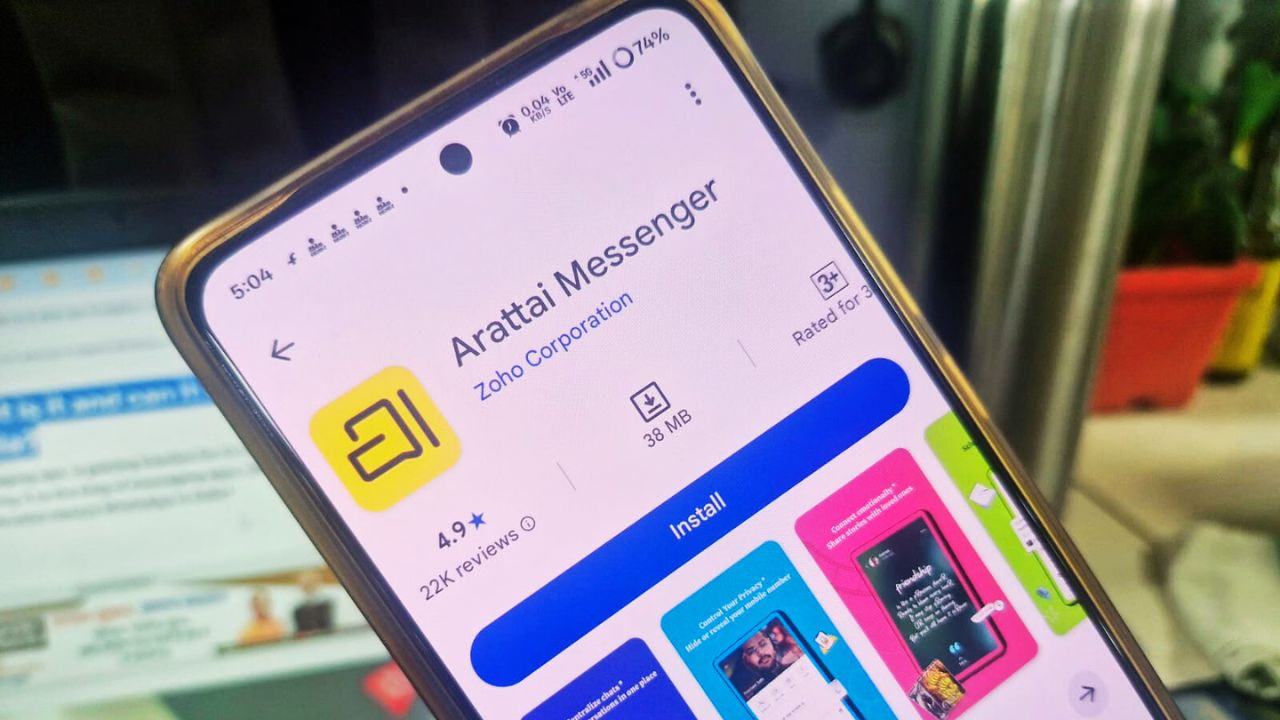
Open Google Play Store
-
Search for Arattai Messenger (Zoho Corporation)
-
Hit Install (always trust the version by Zoho — avoid shady APK sites)
-
Once installed, open the app and follow setup
On iPhone (iOS):
-
Go to the App Store
-
Search Arattai Messenger
-
Make sure Zoho is the developer, then tap Get
-
Launch and begin setup
Initial Setup (both platforms):
-
Choose your country, enter your phone number
-
Verify via OTP
-
Grant permissions: contacts, mic, camera, notifications
-
Set your profile name + photo so your contacts actually recognize you
That’s it — pretty straightforward, just like most chat apps.
The 5 Features of Zoho’s Arattai that Make It Stand Out
These are the bits that (in my opinion) turn Arattai from “just another app” into something you should try.
1. Meetings (Yes, built-in video calls)
Arattai isn’t just for chats — it lets you launch or join video meetings — similar to Zoom or Google Meet. You can schedule ahead, view history, or jump into an instant call. This is a power move, because WhatsApp’s video features don’t necessarily match full meeting-style usability.
2. Pocket — Your Private Notes Corner
Ever wished you had a secret drawer inside your chat app just for you? That’s Pocket. You can stash notes, images, videos, reminders — totally separate from your chats. Think “Chat with Yourself” but more secure and organized (and yes, encrypted).
3. No Ads, No Hidden Data Game
One of the promises here is: there will be no ads (at least for now), and your data won’t be sold or mined for ad targeting. For many people, that’s a breath of fresh air in 2025.
4. Large Group Chats + Channels
Need to talk in big groups? Arattai supports group chats up to 1,000 participants. Plus, it has “channels” — kind of like broadcast spaces where you can post updates for a wide audience (think organizations, creators, community announcements). That’s more than just casual chatting.
5. Multi-device Reach, Including Android TV
This is one of its wild cards: Arattai works not just on phones and desktops, but also on Android TV. No workaround trickery — a proper app. That’s rare in the messaging world. If you want to see messages on your TV screen during a lazy Sunday, this could be your tool.
What’s Catching Fire — The Surge, the Buzz, the Real Talk
Arattai isn’t new — it’s been around since around 2021 — but it flew under the radar until very recently. Then things shifted fast.
-
In just 3 days, daily sign-ups soared from ~3,000 to 350,000 per day.
-
Traffic (overall usage) jumped 100×.
-
The app topped charts in India’s app stores.
-
Government figures and tech influencers backed it, which amplified the signal.
-
Zoho scrambled to scale servers and infrastructure to keep up.
All that said — and this is crucial — while Arattai markets itself around privacy and security, it does not yet have fully default end-to-end encryption for all text chats. Calls and media are encrypted, but messages lag behind. That’s a red flag for security purists.
Infrastructure stress has caused some hiccups: delays in OTPs, occasional sync issues, slower contact import in peak times. But Zoho is reportedly working round the clock to patch those.
Pros & Cons — What You Gain (and What You Risk)
Here’s what I see, if I’m wearing the “real user” hat:
👍 Strengths:
-
Lightweight, works on weaker devices / in poor networks
-
Fresh privacy promises with no ad business model (so far)
-
Native support for meetings, channels, groups — fewer external tools needed
-
Multi-device and Android TV support is a standout bonus
-
Strong appeal for those seeking an Indian alternative
⚠️ Weaknesses / Things to Watch:
-
Text chats still don’t all enjoy end-to-end encryption by default
-
Sudden scale means teething issues (delays, sync lags, server overload)
-
It’s new — ecosystem (stickers, bots, third-party integrations) is shallow vs mature apps
-
Convincing your contacts to switch is always an uphill battle

Should You Try Zoho’s Arattai?
If you:
-
care about using Indian apps and data sovereignty
-
have a mid/low-end phone or live in a region with weak net
-
want meetings and chats in one place
-
are okay tolerating some early-phase bugs
… then yes, give it a shot. Install, test, see how it handles your daily chats.
If your priority is absolute security for every message today, you may wait until encryption gets ironed out. But even then, this is something I believe will mature fast.
Final Thoughts (From Me to You)
I like that Zoho isn’t pretending: they know this is a journey. They’re launching something that tries to strike a better balance between utility, privacy, and accessibility. No illusions, no overpromises (so far).
Zoho’s Arattai is not perfect yet. But in 2025, when messaging is so deeply woven into how we live, having choice — especially choices made in your country, optimized for your conditions — matters.
So yeah — install it, poke around, see if it fits your world. And hey, if you want me to compare Arattai vs WhatsApp or walk you through switching over, I can do that next.
Let me know how you like this version (or if you want more punch, more stories, more data).